

Let's be honest – when you hear "WCAG compliance," your first thought probably isn't "this is going to boost my patient conversions!" Most medical practice owners see accessibility compliance as another expensive checkbox to tick off, not as a secret weapon for attracting more patients.
But here's the thing: creating a WCAG-compliant medical website that actually converts patients doesn't mean choosing between your budget and your bottom line. The trick is understanding that good accessibility often equals good user experience, which equals more patients walking through your doors.
Understanding Your Compliance Timeline (Spoiler: It's Coming Fast)
First, let's address the elephant in the room. Starting in May 2026, healthcare websites will be required to meet WCAG AA standards. That might seem like forever away, but trust me – website overhauls take time, and you don't want to be scrambling at the last minute with premium rush fees.
Right now, if your medical practice receives federal funding, you're already supposed to comply with WCAG 2.1 AA standards. This covers everything from visual and auditory disabilities to cognitive and physical limitations. You also need to handle Section 1557 of the Affordable Care Act, which means translating critical content into your state's top 15 languages and including non-discrimination notices.
And let's not forget about HIPAA compliance and ADA Title III requirements. These aren't separate headaches – they're all pieces of the same puzzle that, when put together correctly, create a website that's both legally sound and conversion-friendly.
The Smart Money Approach: Templates vs. Custom Development
Here's where most practice owners make their first big mistake: assuming they need a fully custom website to be compliant and competitive.
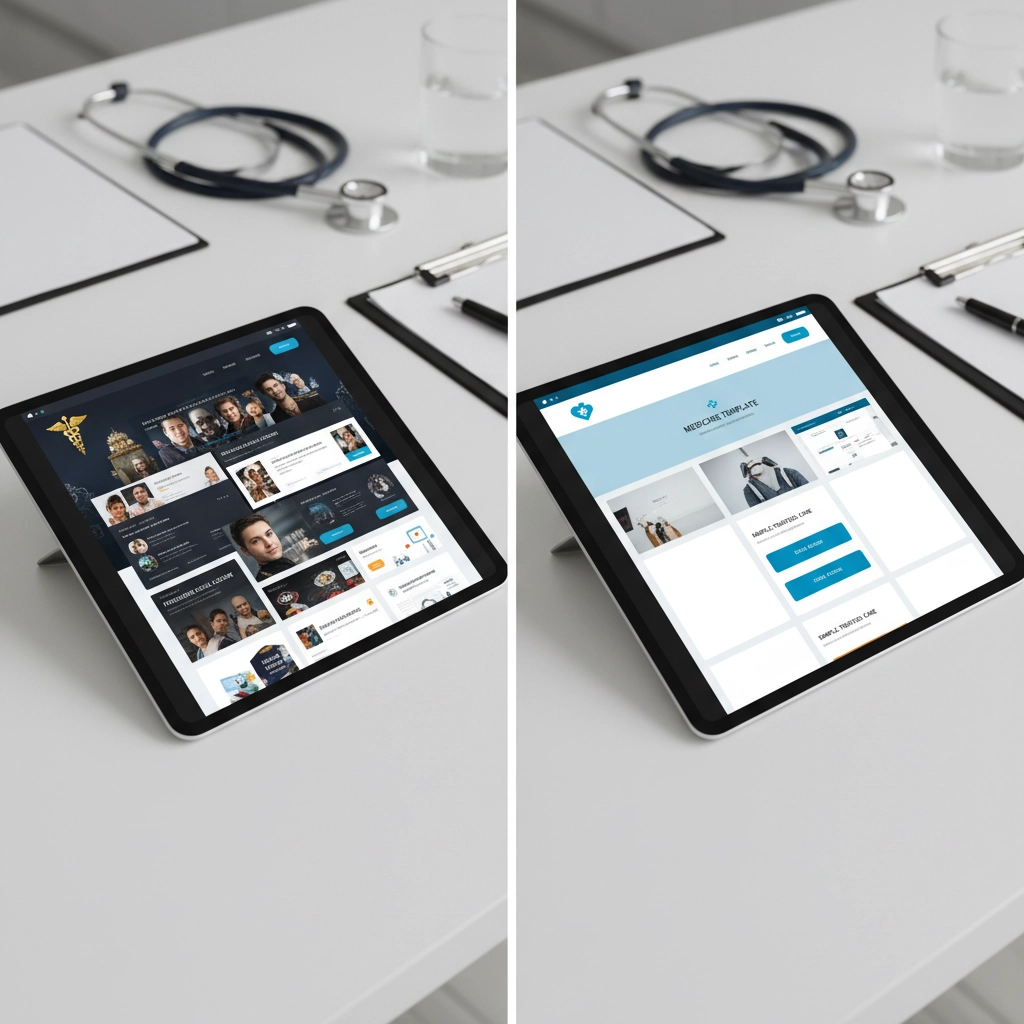
Template-based, HIPAA-compliant solutions cost around $5,000 and can launch in 30 days. Compare that to fully custom solutions that start at $25,000 and take months to complete. These template solutions aren't some bargain-basement compromise – they're pre-built, HIPAA-compliant layouts that get customized with your branding and specialty-specific features.

The trade-off? You're getting proven functionality over unlimited flexibility. For most medical practices, this is actually a benefit. You get:
- User-friendly CMS platforms (usually WordPress)
- Pre-tested accessibility features
- HIPAA-compliant infrastructure
- Healthcare-specific plugins already configured
- Faster implementation timelines
Your Four-Phase Implementation Strategy
Instead of trying to build Rome in a day, break your WCAG compliance into manageable phases:
Phase 1: Foundation (Weeks 1-4)
- Accessible account creation and authentication
- Appointment scheduling with keyboard navigation
- Screen reader compatibility for basic navigation
- Proper form labeling and error messages
Phase 2: Core Medical Features (Weeks 5-8)
- Medical records with accessible lab results
- Prescription management systems with clear medication displays
- Secure messaging with proper navigation structure
- Insurance and billing information accessibility
Phase 3: Advanced Features (Weeks 9-12)
- Telemedicine capabilities with video consultation accessibility
- Caption integration for video content
- Health education resources with document alternatives
- Advanced patient portal features
Phase 4: Optimization and Maintenance
- Continuous monitoring systems
- Patient feedback integration
- Regular compliance audits
- Staff training on accessibility standards
Where Accessibility Meets Conversion Gold
Here's the secret sauce: WCAG compliance and conversion optimization aren't enemies – they're best friends who make each other look good.
Page Speed = Patient Patience
When your website loads in 6-9 seconds, conversion rates drop by 61%. Since 82% of patients browse medical websites on mobile devices, speed isn't just nice-to-have – it's make-or-break. WCAG compliance actually helps here because:
- Compressed, properly sized images load faster
- Clean, semantic code runs more efficiently
- Simplified navigation reduces server requests
- Alt text replaces heavy graphics for faster loading
Clear Calls-to-Action Win Hearts (and Compliance Points)
Simple, clear buttons like "Schedule Now" or "Request Appointment" serve double duty. They guide visitors toward conversion while meeting WCAG requirements for keyboard navigation and screen reader compatibility. Win-win.
Mobile-First Design = Patient-First Thinking
When you design for mobile accessibility, you're automatically creating better user experiences for everyone. Your appointment scheduling, prescription refills, and bill payments work seamlessly whether someone's using their phone, tablet, or desktop.
Smart Security That Builds Trust
Never, ever use standard contact forms for patient information. Seriously – using Google Forms or basic WordPress plugins for medical data is like leaving your front door open with a sign that says "HIPAA violations welcome here."
Instead, use HIPAA-compliant form services like:
- Jotform HIPAA
- Cognito Forms
- FormAssembly
These services provide Business Associate Agreements (BAAs) and handle secure data storage. Patient information goes directly from the form to the secure service – your website never touches the sensitive data. This approach satisfies HIPAA requirements while building the patient trust that converts browsers into appointments.

Testing That Actually Works (And Saves Money)
Healthcare websites need more than standard accessibility auditing. Your testing protocol should include:
Patient Journey Testing
- Account creation through prescription refills
- Emergency scenario accessibility
- Crisis resource quick access
- Appointment scheduling under stress conditions
Assistive Technology Validation
- Screen readers (JAWS, NVDA)
- Voice control systems
- Switch devices for mobility-impaired users
- Magnification software for vision-impaired patients
Set up automated testing on 24-hour cycles with monthly compliance audits. This documentation becomes your legal insurance policy – if accessibility lawsuits emerge, compliance reports and remediation records can significantly reduce your legal exposure.
Quick Wins That Don't Break the Bank
Before investing in major development, try these high-impact, low-cost improvements:
- Fix your heading hierarchy – Use H1, H2, H3 tags in proper order so screen readers understand your content structure
- Add alt text to every image – Describe what vision-impaired patients need to know about each visual element
- Check color contrast – Ensure text is readable against background colors (WCAG specifies minimum ratios)
- Test keyboard navigation – Every button, form, and link should work without a mouse
- Label form fields properly – Screen readers should clearly identify what each field requires
These foundational changes require minimal investment but address core WCAG requirements while improving user experience for all visitors.
The Bottom Line: Start Smart, Not Perfect
The biggest budget mistake medical practices make is thinking they need to be 100% compliant on day one with unlimited features and custom everything.
Smart practices recognize that WCAG standards, when built in from the start, cost less than retrofitting accessibility onto an inaccessible website. By choosing HIPAA-compliant templates, implementing phased feature rollouts, and building automated testing into your workflow, you create a compliant, converting website without enterprise-level budgets.
Your patients get better experiences, you meet legal requirements, and your conversion rates improve – all without breaking the bank or sacrificing your practice's growth goals.
Ready to build a medical website that's both compliant and conversion-friendly? Contact Johnny on the Spot Web Designs to discuss how we can create a WCAG-compliant solution that fits your budget and grows your practice. Because accessibility and profitability aren't opposites – they're partners in building a thriving medical practice online.